 TradeNinja
For active crypto & stock traders · Built in Australia
Every trade journalled.
Every record tax‑ready.
TradeNinja syncs your exchanges and brokers, turns every fill into a journal entry you'll actually write, and builds the financial-year records an active trader needs — on your device, not our cloud.
- 🔒 Read-only API keys — stored on your device
- 📄 Your data: plain files you own
- 🇦🇺 AU financial-year native — FY25–26 ready
The journal that (almost) writes itself
Your last journal entry was three weeks ago. We know.
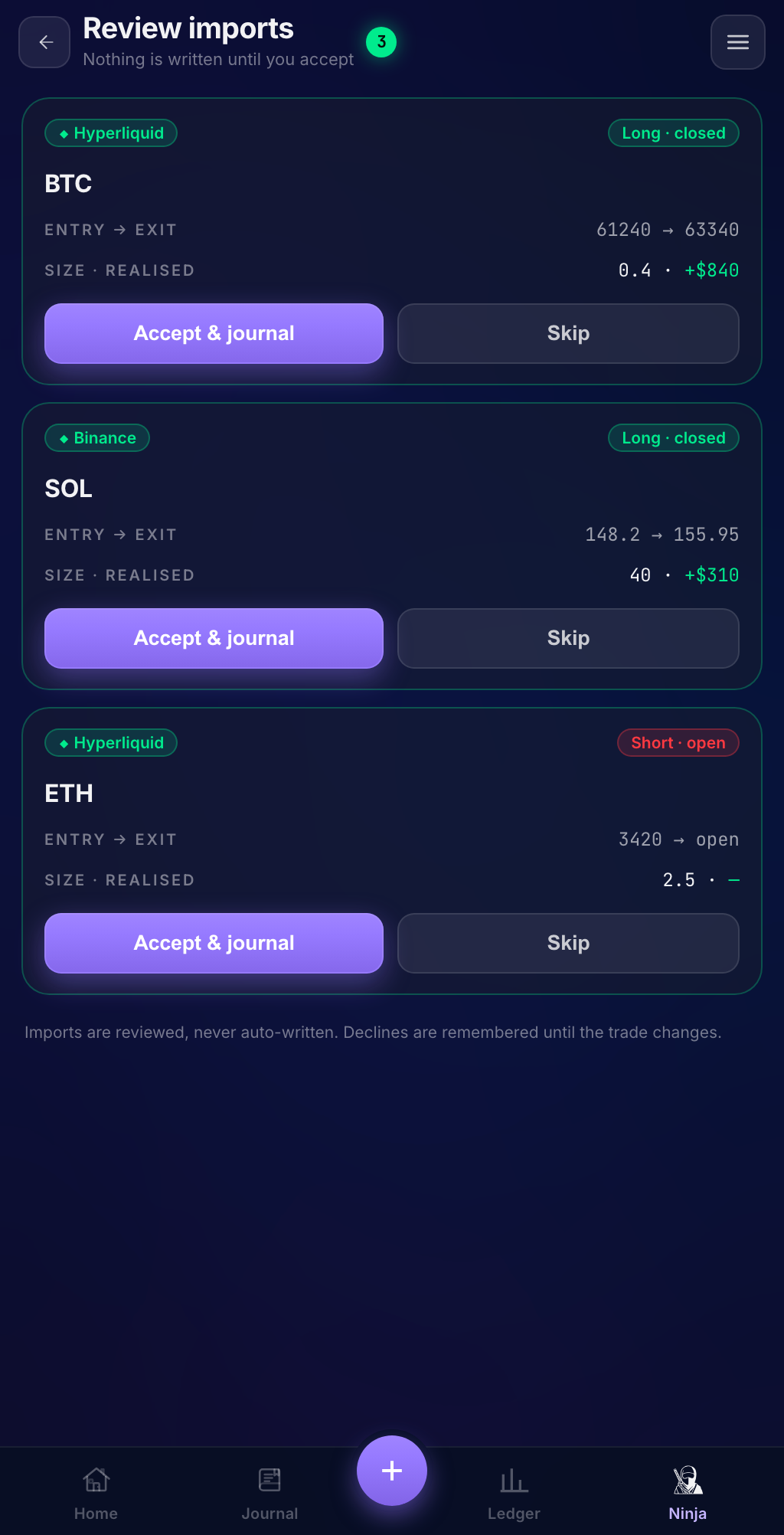
Journalling works — that's why every serious trader starts one. Friction is why they stop. TradeNinja watches your connected accounts, so when you close a trade it's already in your journal: entry, exit, size, fees and P&L reconciled from your real fills. All that's left is the part only you can write — the why.
Synced, not typed
Fills become journal entries automatically — scale-ins averaged, partial exits matched, fees counted. You approve anything ambiguous before it's written.
The why, captured
The Ninja assistant helps you capture the reasoning while it's fresh. One sentence from your phone counts.
Your edge, visible
P&L calendar, win rate, hold times, per-account performance — built from reconciled data, not hand-entered guesses.
Tax time, already sorted
The ATO already sees your trading.
Make sure your records match.
The ATO's crypto data-matching program collects records on 700,000+ Australian accounts every year. When questions come, the answer is organised records. TradeNinja keeps them as you trade — then exports your financial year in one click.
One-click FY export
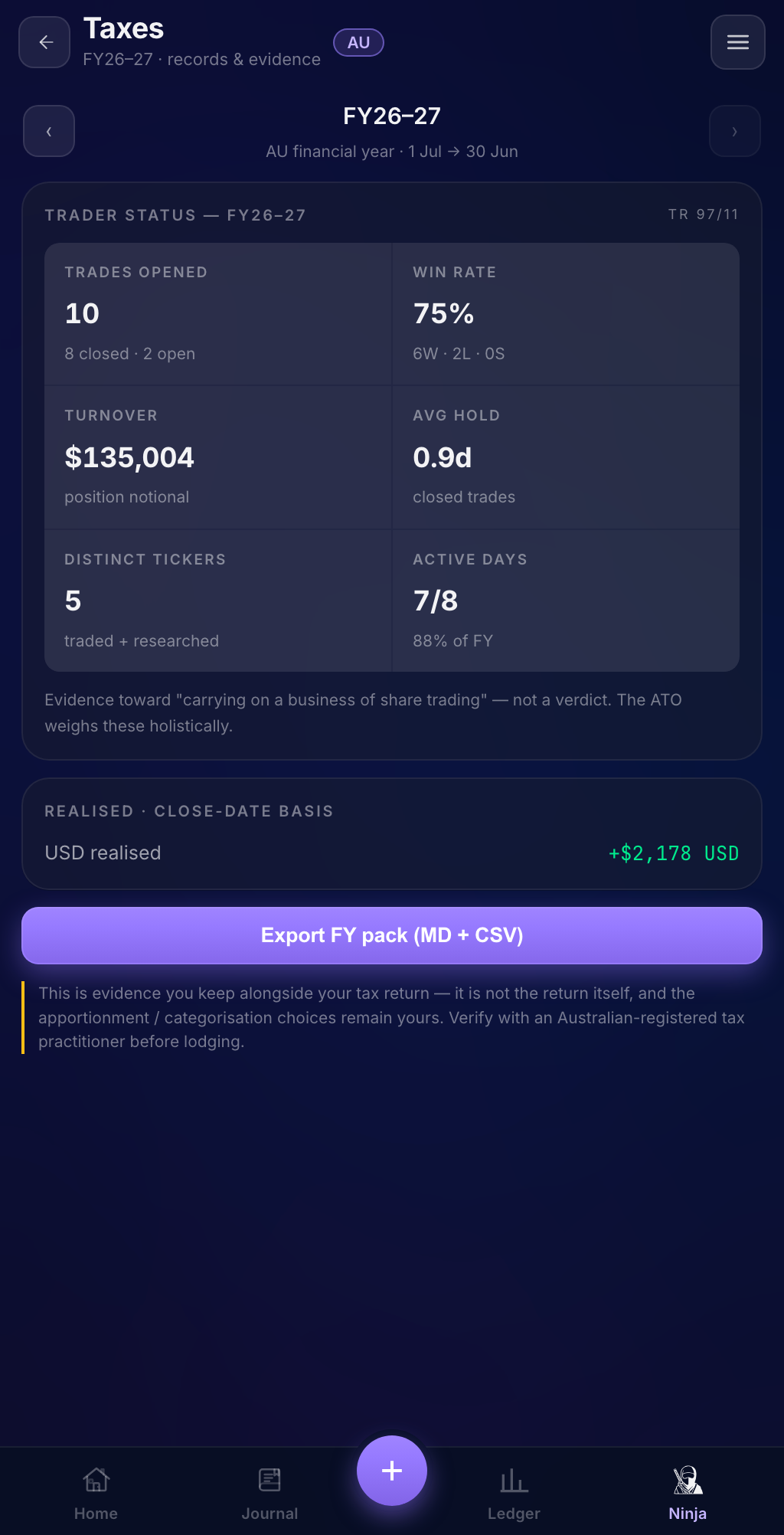
A financial-year pack your accountant will actually thank you for: summary report + trades and expenses CSVs — per-currency, close-date basis, with AUD conversion at official RBA rates.
Trader-vs-investor evidence
The ATO weighs your activity — frequency, turnover, hold times, system. TradeNinja tracks those indicators so you and your accountant can assess your position with evidence, not vibes.
Receipts, filed
Snap a receipt and AI reads the vendor, date, amount and GST into an expense ledger — with a claimable percentage you set, ready for your accountant. Deduplicated by invoice number, audited against the receipt.
TradeNinja is record-keeping software — it organises evidence. It doesn't compute your tax or decide your status, and nothing here is tax advice. Verify your position with a registered tax practitioner.
How it works
Connect. Trade. File.
-
1
Connect
Add your exchanges and brokers with read-only API keys. Keys are stored in your device's keychain and are never sent to any TradeNinja server.
-
2
Trade like you already do
Every fill is reconciled into your journal. You approve suggestions, and add the "why" while it's fresh — from your desk or your phone.
-
3
File without the scramble
Review your calendar, P&L and trader-status evidence all year — then export the FY pack when it's time.
Works where you trade
Supported exchanges and brokers
…plus US & Canadian brokers via SnapTrade. Some connectors are in early access — beta members help validate them first, and steer which venues come next.
Private by architecture
Local-first. Your data never becomes our asset.
On your device
Your trading history lives in plain, open files on your computer — readable in any text editor, exportable forever. There is no readable cloud copy of your trading history, anywhere.
Keys we never hold
Exchange keys are read-only and live in your OS keychain. They are never uploaded, never synced, never seen by us.
End-to-end encrypted phone sync
The iPhone companion (launching alongside the desktop app) syncs through an encrypted relay: our storage only ever holds ciphertext we cannot decrypt. Only your paired devices hold the key.
Honest about AI
Optional AI features (receipt reading, the Ninja assistant) send only what's needed for that request — the receipt you snap, your message, and the journal excerpts the assistant needs to answer — never your keys, never your full history.
Founding access
Launching late July 2026
macOS + iPhone at launch. Windows shortly after, Android to follow.
Free tier for journalling — TradeNinja Pro, the full sync + FY-export
toolkit, is a paid subscription. Founding pricing is reserved for the waitlist.
Questions, answered
Frequently asked questions
Is this tax advice?
No. TradeNinja organises your records and surfaces evidence — it never computes a tax number, decides whether you're a trader or an investor, or tells you what to claim. Those calls belong to you and a registered tax practitioner. What we do is make sure that conversation starts from clean, complete records.
Can TradeNinja trade with my API keys?
No. You connect with read-only keys (each venue's setup guide walks you through creating them), and keys are stored only in your device's keychain. TradeNinja has no server that ever receives them.
Where is my data stored?
On your device, in open formats — plain text and CSV. The optional phone sync stores only end-to-end-encrypted data we can't read. Your journal is a folder you own: back it up, move it, or leave anytime.
What does it cost?
There's a free tier for journalling. TradeNinja Pro — full multi-venue sync and the FY export pack — is a paid subscription, with founding pricing announced at launch. Waitlist members get it first, at founding pricing that won't be offered again.
My exchange isn't listed. Can I still use it?
Maybe — report imports already fold in a few venues without a live connector, more are on the roadmap, and beta members steer which connectors and importers get built next. Join the waitlist and tell us where you trade.
Who's building this?
A solo Australian trader-developer, building in public. TradeNinja started as the tool its founder needed for his own trading and his own ATO filing — then got good enough to share.